After you sign up, Baza walks you through five short steps. You can skip any of them and come back to it later from your dashboard.
1

Say what your assistant should do

Describe your business in one sentence, give your website’s address, or pick a template. If you give your website, Baza also writes a first headline and “about” text for your chat page. You can change them.
2

Give it a name

Your assistant has its own name, like “Eva”. Your business keeps its own name too. That name shows on your chat page, invoices and emails.
3

Teach it

Add your website, upload files or type in facts. See Teach your assistant.
4

Choose where customers reach it

5

Try it out

Ask it the questions your customers ask, and see how it answers.
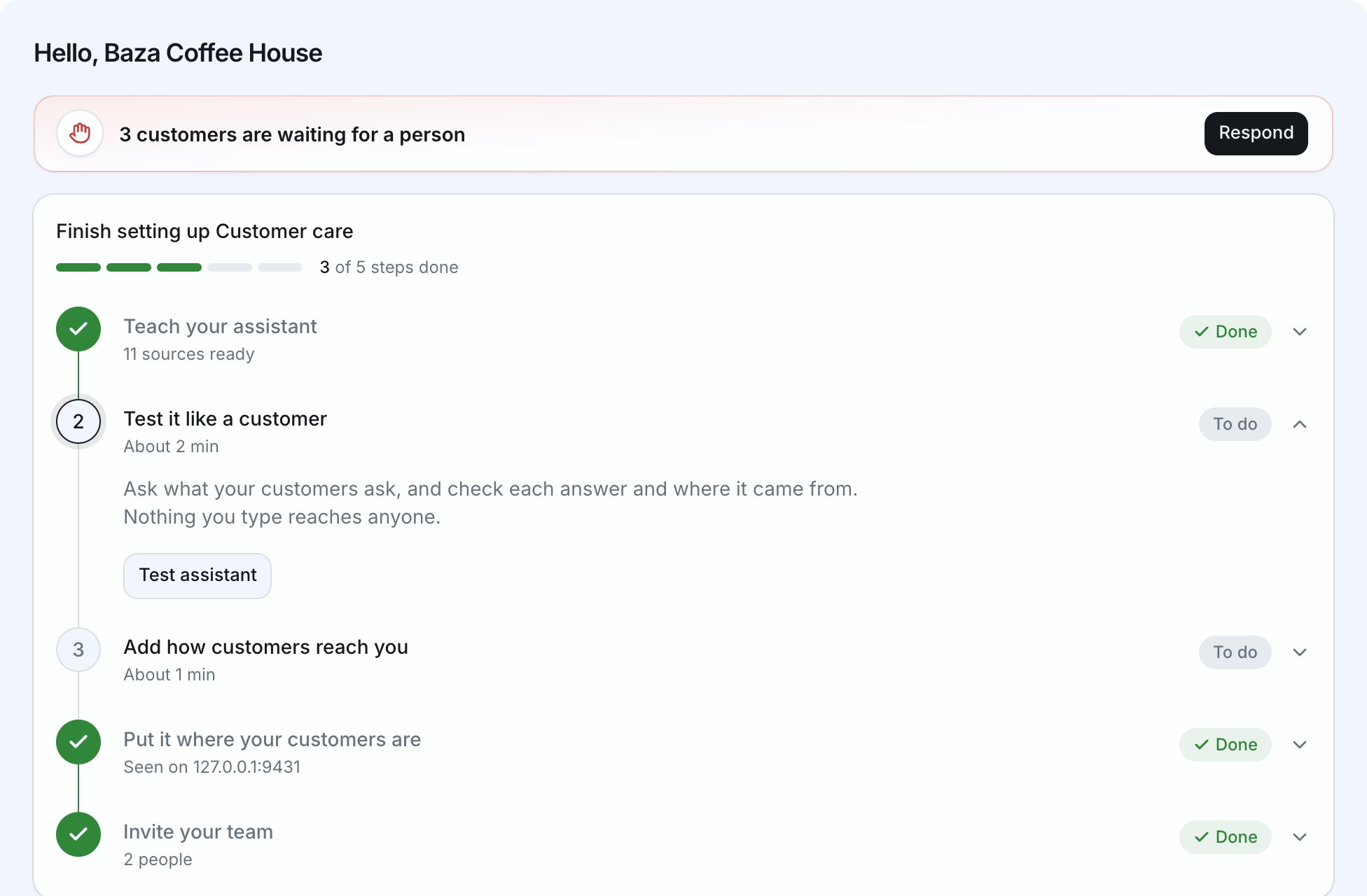
Your dashboard then opens on your conversations. Home shows the setup steps still to do and your numbers for the month.
Home, with the setup steps and who is waiting for a person

Try it before customers see it

Your assistant’s page has a test chat beside its settings. Ask it anything, the way a customer would. When you save a change, its next reply uses it. Nothing you type in the test chat reaches anyone.

Make it sound like you

Give it a name, a welcome message and a tone: professional, friendly, casual or playful.

Change your business name

Change it in Settings, or at the top of your chat page. Both change the same name. Renaming an assistant changes only that assistant’s name, not your business name.