

Three ways to teach it
Your website
Paste its address and pick the pages it may read.
Files
Upload a PDF or a spreadsheet.
Facts
Type what customers ask about, in your own words.
Your website
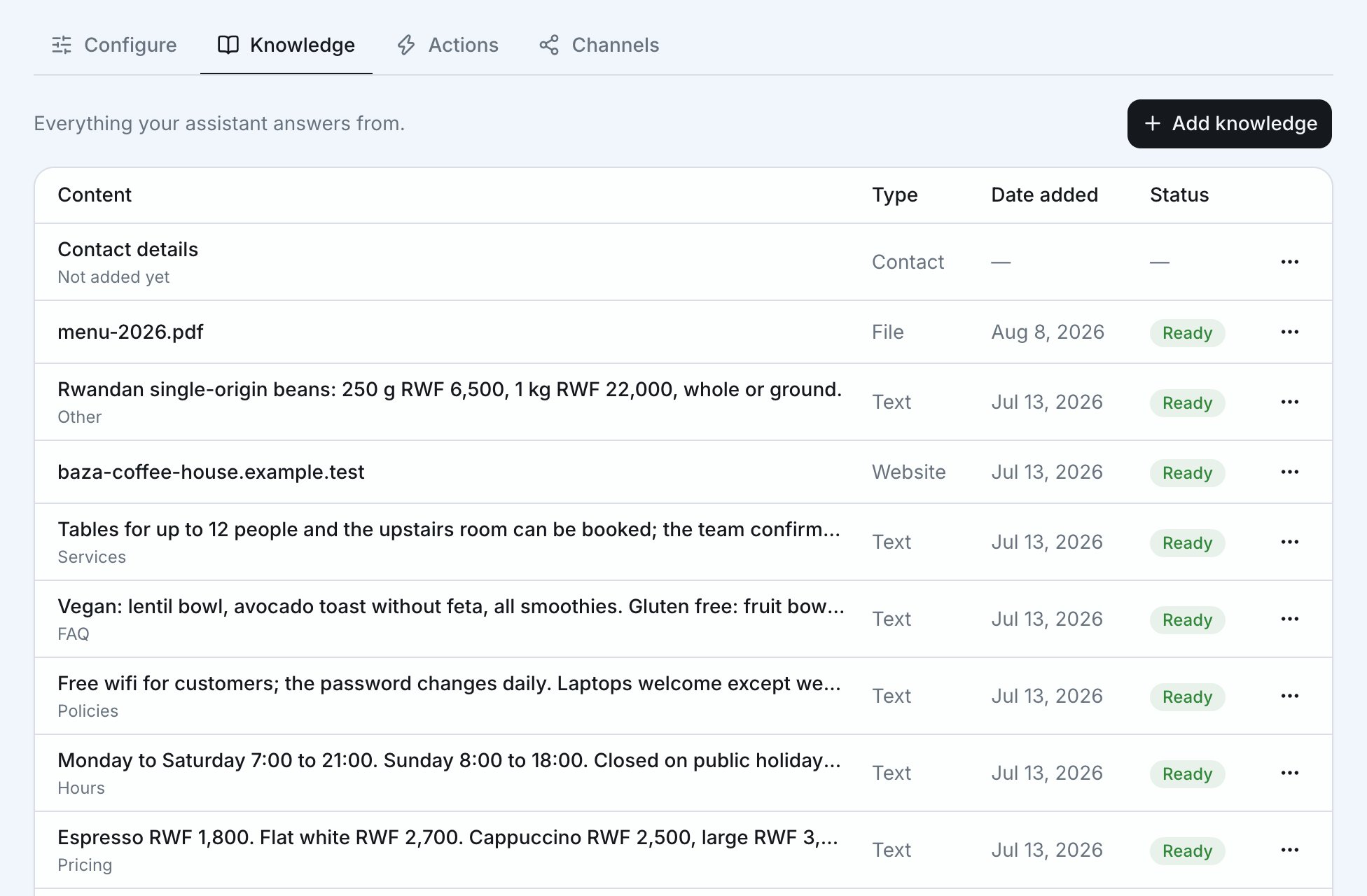
Paste your website’s address, then pick which pages your assistant may read. You can pick up to 12, and the home page is always included. To change the pages later, open the website’s menu in Knowledge.Some websites, or the companies that host them, block visits from programs
like Baza. A website that is down looks the same to Baza. If Baza can’t read
yours, try again later. You can also ask your web host to let Baza in (it
visits as BazaBot), or upload a PDF or type the details instead.
Files
Upload PDFs and spreadsheets, up to 10 MB each. A PDF can have up to 500 pages, and a spreadsheet up to 2,000 rows. A spreadsheet of your products or services, with names and prices, works well. See What files work.Facts
Choose Type it in, pick a category and write what your assistant should know. Each fact can be up to 2,000 characters. Facts are the fastest way to fill a gap you notice in the inbox. Write each one the way you’d explain it to a new employee, with one topic per fact.Facts and rules
A fact is something your assistant should know, like your opening hours or how delivery works. A rule is how it should behave, like “Always offer a call back” or “Never discuss prices for custom work”. They go in different places:- Facts go in Knowledge. Your assistant uses a fact only when a customer’s question matches it.
- Rules go in your assistant’s instructions, under Configure → Behaviour. They apply to every reply.
What files work
- PDFs, up to 10 MB each and up to 500 pages.
- PDFs with real text work best. A PDF made from scanned pictures can’t be read.
- A spreadsheet must be saved as a CSV file (most spreadsheet apps can save or download one). It only works as a list of products or prices, up to 2,000 rows.